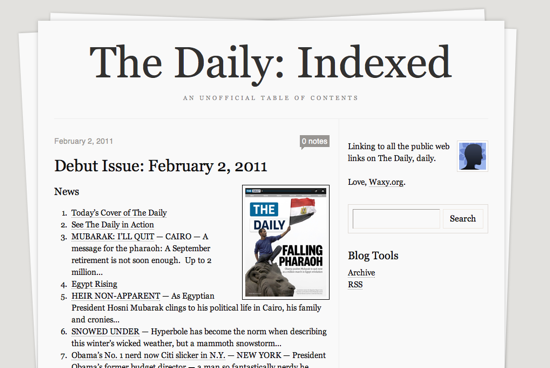
For the last three weeks, I’ve indexed The Daily. Now that my free trial’s up, I’ve had an intimate look at what they have to offer and, sad to say, I don’t plan on subscribing. As a result, I’m ending The Daily: Indexed, my unofficial table of contents for every article they published publicly.
I’m surprised and grateful that The Daily executive and legal team never tried to shut it down. On the contrary, when asked directly about it, publisher Greg Clayman said, “If people like our content enough to put it together in a blog and share it with folks, that’s great! It drives people back to us.” They seem like a nice bunch of folks, and I hope they succeed with their big publishing experiment.
But now that I’m ending it, I can finally address the most common question — how did I do it?
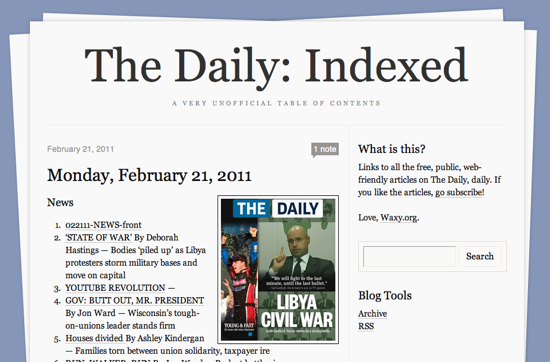
The Daily: Indexed is just a list of article headlines, bylines, and links to each article on The Daily’s official website. Anyone can grab the links from the Daily iPad app by clicking each article’s “Share by Email” button, but that would’ve taken me far too long. So, how to automate the process?
When you first start The Daily application, it connects to their central server to check for a new edition, and then downloads a 1.5MB JSON file with the complete metadata for that issue. It includes everything — the complete text of the issue, layout metadata, and the public URLs.
But how can you get access to that file? My first attempt was to proxy all of the iPad’s traffic through my laptop and use Wireshark to inspect it. As it turns out, The Daily encrypts all traffic between your iPad and their servers. I was able to see connections being made to various servers, but couldn’t see what was being sent.
Enter Charles, a brilliantly-designed web debugging proxy for Mac, Windows, and Linux. By default, Charles will listen to all of your HTTP network traffic and show you simple, but powerful, views of all your web requests. But it can also act as an SSL proxy, sitting in the middle of previously-secure transactions between your browser and an SSL server.
After grabbing the JSON, I was able to write a simple Python script to extract the metadata I needed and spit out the HTML for use on the Tumblr page. Here’s how to do it.
Configuring Charles
1. Download and install Charles on your desktop machine. On your iPad, navigate to http://charlesproxy.com/charles.crt to trust Charles’ SSL certificate.
2. For Mac users, start Network Utility to get your desktop’s local IP address. Start your iPad, make sure it’s on the same wireless network as your desktop, and go into Settings>Network>Wi-Fi. Select the wireless network, and click the right arrow next to it to configure advanced settings. Under “HTTP Proxy,” select “Manual.” Enter the IP address of your desktop for “Server” and enter in “8888” for the port.
3. Now, start Charles on your desktop and, on the iPad, try loading any website. You should see assets from that website appear in Charles. If so, you’re ready to sniff The Daily’s iPad app.
Indexing the Daily
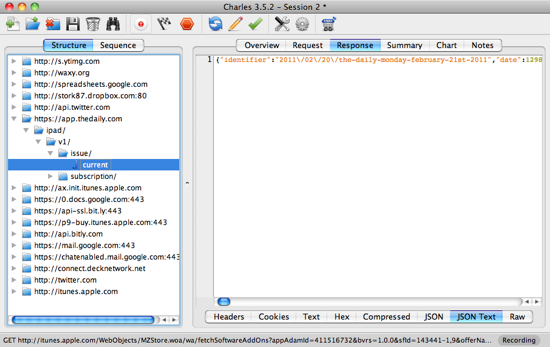
1. Start the Daily app on the iPad. Wait for it to download today’s issue. In Charles, drill down to https://app.thedaily.com/ipad/v1/issue/current, and select “JSON Text.”
2. Copy and paste the raw JSON into a text file.
3. This Python script takes the JSON file as input, and spits out a snippet of HTML suitable for blogging. I simply pasted the output from that script into Tumblr, made a thumbnail of the cover, and published.
The End
So, that’s it! Hope that was helpful. If any fan of The Daily out there wants to take over publishing duties, I’ll happily pass the Tumblr blog on to you.